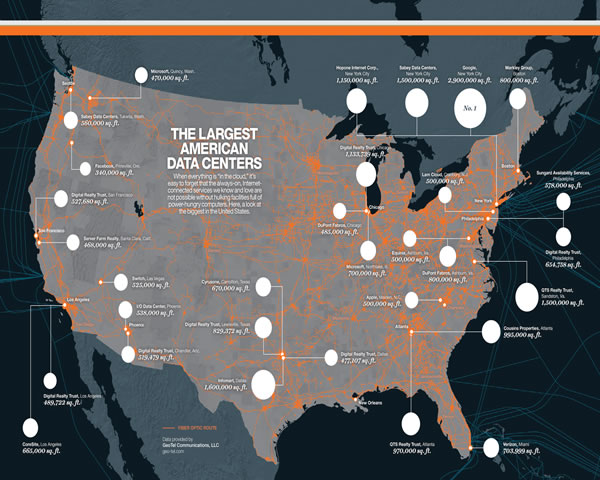
in today's network environment, more and more businesses and individuals are choosing to use virtual private servers (vps) to host their websites and applications. splitting a us server into multiple vps can not only effectively reduce resource costs, but also improve the flexibility of resource management. this article will provide you with a simple and easy-to-follow guide to help you through the process smoothly.
understand the basic concepts of vps
before you start splitting servers, you first need to understand the basic concepts of vps. vps, or virtual private server, is a service that uses virtualization technology to divide a physical server into multiple independent environments. each vps has its own operating system, storage space and network resources, which users can freely configure and manage. this method allows multiple users to share the resources of the same physical server, thereby improving resource utilization.
assess your server resources
before splitting up a us server, you need to conduct a thorough assessment of your existing server resources. this includes cpu, memory, storage, bandwidth, etc. understanding the usage of these resources will help you decide how to divide these resources to create a suitable vps. for example, if your server has 16gb of ram, you might choose to split it into four vpss with 4gb of ram. make sure you factor in future expansion needs when evaluating to avoid resource shortages.
choose the right virtualization technology
the key to partitioning servers is choosing the right virtualization technology. currently, there are a variety of virtualization technologies to choose from on the market, such as kvm, xen, openvz, etc. kvm (kernel-based virtual machine) is an open source virtualization technology with high performance and flexibility, suitable for scenarios that require high resource isolation; while openvz is a container-based virtualization solution suitable for applications with high resource utilization requirements. choosing the appropriate virtualization technology will directly affect the performance and stability of the vps.
install virtualization software
once you have selected the appropriate virtualization technology, you next need to install the corresponding virtualization software on your us server. during the installation process, please make sure to follow the guidance of the official documentation to ensure the compatibility of the software with the server operating system. once installed, you can access virtualization management tools through the command line or graphical interface to begin creating and managing your vps. during this process, be sure to back up server data regularly to prevent data loss.
create a vps instance
after installing the virtualization software, you can start creating a vps instance. based on your previous evaluation results, reasonably allocate the resources of each vps, including cpu, memory, storage, and bandwidth. when creating a vps, you'll also need to set up an operating system for each instance, with common choices including linux and windows. selecting the appropriate operating system and version based on your needs will help with subsequent management and maintenance.
configure network and security settings
to ensure the normal operation and security of your vps, network configuration and security settings are crucial. you need to assign an independent ip address to each vps and configure firewall rules to protect the server from external attacks. additionally, it is recommended to regularly update operating systems and applications to reduce the risk of being attacked. at the same time, the use of security measures such as strong passwords and ssh key authentication can further improve the security of the vps.
monitor and maintain vps
after creating and configuring a vps, regular monitoring and maintenance are important to ensure its normal operation. use monitoring tools to track vps performance indicators in real time, such as cpu usage, memory usage, and network traffic. with this data, you can identify and resolve potential issues in a timely manner. in addition, regular system updates and backups can effectively prevent data loss and system crashes.
summary and suggestions
splitting a us server into multiple vps can not only improve resource utilization, but also provide flexible solutions for different business needs. throughout the process, proper assessment of resources, selection of appropriate virtualization technology, careful configuration of network and security settings, and regular monitoring and maintenance are key. i hope the guidance in this article can help you successfully complete server partitioning and provide stable and reliable support for your business.
- Latest articles
- How To Optimize Cross-border E-commerce Access Speed And Stability Through Cambodia Cn2 Return Server
- Cambodian Server Alibaba Cloud’s Practical Experience In Network Acceleration And CDN Integration
- How To Set Up A Korean Purchasing Agent Group? Precautions And Risk Control Strategies For Compliance Operations
- Practical Experience Sharing On Vps Cambodia Node Selection And Global Deployment Strategy
- Operation And Maintenance Exchange American Cloud Server Bar Common Troubleshooting And Response Experience
- Migration Case Analysis: How To Smoothly Switch To Singapore Cn2 Cloud Server And Ensure That Business Is Not Dropped
- A Beginner's Guide Teaches You How To Identify The Service Quality And Potential Risks Of Cheap Hong Kong Site Groups
- How SEO Webmasters Use Vietnam Cn2 To Improve Search Rankings In The Vietnamese Market
- Comparing The Cost-effectiveness And User Experience Of Triple-network Cn2 Malaysia With Single-network Access
- How Can Enterprises Incorporate Free Unlimited Traffic Hong Kong Cn2 Into Disaster Recovery And Capacity Expansion Plans?
- Popular tags
-

Case Studies Show How Low-cost High-defense Server Solutions In The U.S. Perform Under Sudden Traffic Spikes
Based on case studies, this paper objectively evaluates the performance, DDoS resistance, and cost-effectiveness of low-cost high-security servers in scenarios with sudden traffic spikes, providing practical recommendations and key deployment considerations. -
Master The Load Balancing Setting Skills Of Hong Kong Nodes, Us And Hong Kong Cloud Servers In Multi-region Deployment
a practical guide for multi-region deployment: key tips for setting up load balancing between us and hong kong cloud servers, covering core points such as latency evaluation, load policy, session persistence, health checks and gslb. -

The Inspiration Of A Group Of People Standing Behind The American Speech On Social Media Marketing
Discuss the social media marketing implications behind American speeches and analyzes how to use social media to enhance brand influence.